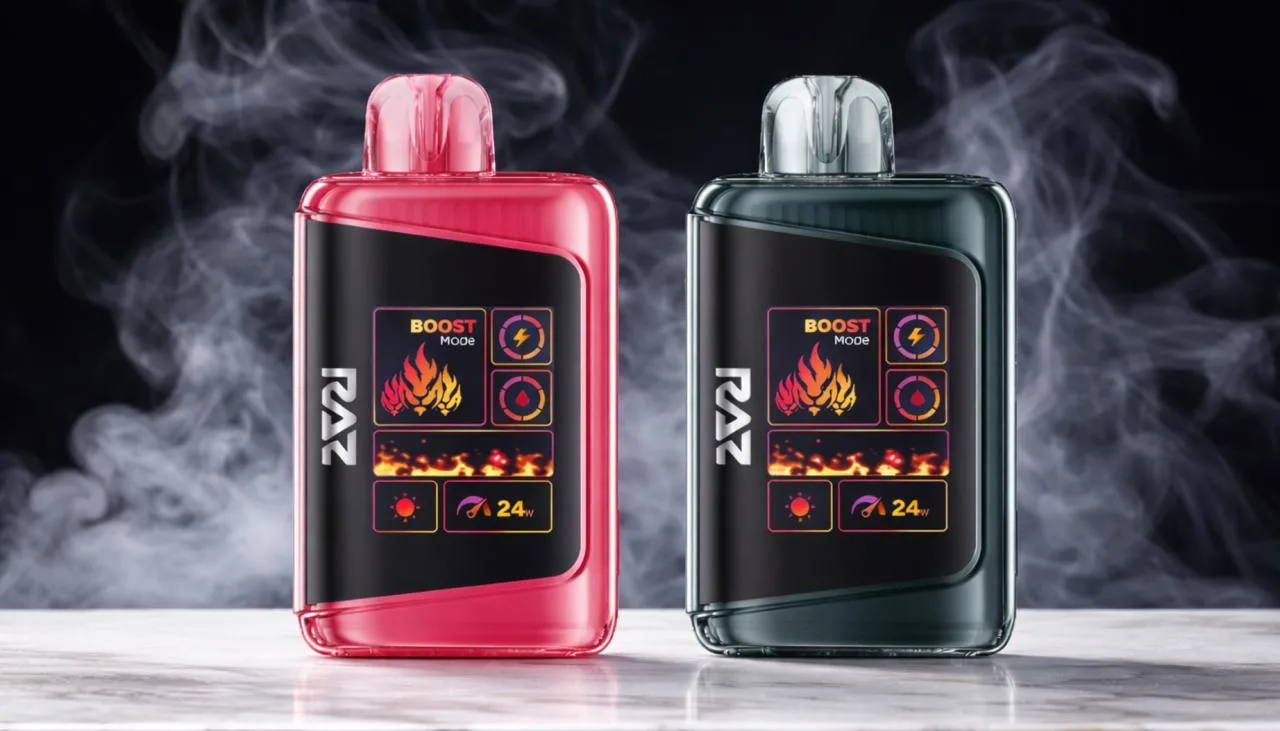
Vaping has rapidly evolved and is becoming a widely accepted alternative to traditional smoking, coming in all shapes and sizes. One such highly popular vape in the market today is the RAZ Vape, which is truly highly regarded for its brilliant performance, great looks, and ease of use. Of course, like any electronic vape, RAZ Vapes sometimes malfunction. And that begs the question: how do you reset your RAZ Vape?
In this post, we will walk you through the process of resetting your RAZ Vape, helping you troubleshoot and resolve common issues to get your vape back in top shape. From simple soft resets to the more advanced steps in troubleshooting, let’s dive in!
Understanding RAZ Vape Devices
Since its emergence, RAZ Vape has managed to find a place for itself by developing premium quality and durable vape devices. Starting from RAZ TN9000 to DC25000, RAZ offers a wide variety of vapes with versatile features for different tastes.
The key features that stand out in RAZ vapes include:
- Rechargeable Batteries: No more disposable battery hassle; simply charge and go!
- High Puff Capacity: The TN9000 can go up to 9000 puffs, while the DC25000 delivers as high as 25000 puffs.
- Smart Technology: All RAZ vapes are fitted with customizable settings, including variable airflow and crystal clear digital screens displaying battery life and e-liquid levels.
Whether it be the TN9000 or any other model, these vapes are designed to provide a high-quality vaping experience for casual and heavy users alike.
Common Issues with RAZ Vapes
Before initiating the reset process, it is good to know the common problems that may call for a reset:
- The Device Is Not Turning On: It might be due to a drained battery, a bad charger, or internal connection problems.
- Unresponsive Screen: Freezing or malfunctioning on the screen usually requires nothing more than a restart to fix the issue.
- Device Not Hitting: These could be due to a low e-liquid level, a clog in the coil, or battery-related problems.
- Charging Issues: Dust or debris in the charging port, or the use of a damaged charging cable, interferes with charging efficiency.
If you are experiencing any of the above, then a reset can be just what you need to get your RAZ Vape working again.
Step-by-Step: How to do a RAZ Vape Reset
Soft Reset
A soft reset is a common first step in many types of troubleshooting. It’s simple, safe, and will often resolve minor glitches with no risk to lost data or settings.
Here’s how to do a soft reset:
- Turn the Device Off and On: The easiest form of a reset, turning your RAZ Vape off for 10–15 seconds and then powering it back on, can often correct minor software glitches.
- Reset Feature: If Available: Many RAZ Vape have a built-in reset feature within the menu systems. Check the device’s interface for a “reset” option; if your model has it, use it to restore the vape to default settings.
Hard Reset
A hard reset is more complicated and should be used only when a soft reset doesn’t resolve the issue. While it can fix more stubborn problems, it will erase any custom settings or data that you have on your vape, so it is not something to be taken lightly.
- Reset Button: On some RAZ Vapes, including the TN9000, there is an internal, recessed reset button that may be accessed with a pin or a paperclip.
- Press and Hold the Button: Press and hold the reset button for 10–30 seconds. You should get a visual cue—a blinking light or some other screen change—that the reset has begun.
- Wait for the Device to Restart: Following a reset, your RAZ Vape will automatically restart to its factory settings.
If your RAZ Vape doesn’t have a dedicated reset button, refer to your user manual or the website for vape-specific instructions from the manufacturer.
Troubleshooting Problems Commonly Encountered after a Reset
Even after a reset, some issues may still prevail. Here are a few troubleshooting tips that can help you:
Device Not Turning On
If your RAZ Vape still will not power on after a reset, it is likely symptomatic of a deeper issue:
- Check the Battery: Ensure that your vape has sufficient charge. A completely discharged battery is the most frequent reason for this.
- Inspect your charging cable: You may want to try using a different charging cable to see if the problem lies with your current charger.
- Check for Loose Connections: The battery and the atomizer should be well-connected.
Device Not Hitting
If your vape isn’t producing vapor, follow these steps:
- E-Liquid Levels: An empty tank won’t produce any vapors. Always ensure that the amount in the tank is sufficient.
- Coil Check: A burned or wrongly placed coil can result in poor vapor output. If necessary, replace or reposition the coil.
- Obstruction of Airflow: Check whether it is obstructed due to debris or buildup of e-liquid in the airflow.
Charging Issues
If you have charging issues with your vape, then the following may help:
- Clean the Charging Port: The buildup of dust or lint in the charging port may cause improper charging. Clean the port gently by using a soft brush.
- Use a different cable: A broken or frayed cable could disrupt the charging process. Try a different one to see if that will fix it.
Model-Specific Reset Instructions for RAZ Vape
RAZ TN9000 Reset Instructions
How to reset your RAZ TN9000 vape if it’s not working properly:
- Turn the vape off.
- Press and hold both the power button and the selected reset button for 10–30 seconds.
- Wait until the reset is confirmed by a screen or indicator light change.
- Release the buttons and allow the vape to restart.
RAZ DC25000 Reset Instructions
Follow these steps to reset the RAZ DC25000:
- Find the reset button, which is usually small and recessed.
- Press the reset button using a pin or paperclip.
- Hold it for 10–15 seconds until you see a visual cue indicating that the reset has been initiated.
- Release the button and allow the vape to reboot.
Preventive Maintenance Tips
To keep your RAZ Vape in the best shape, follow these maintenance tips:
- Clean Your Vape Regularly: Disassemble and clean each component to avoid residue buildup.
- Storage: Store your vape upright and avoid exposure to extreme temperatures or moisture.
- Monitor Battery Health: Regularly check your battery for wear and replace it if necessary.
Where to Buy RAZ Vapes
If you’re in the market for a new RAZ Vape or looking for accessories, be sure to check out RAZ Vape Direct. They offer a wide selection of high-quality RAZ products at competitive prices. Whether it’s the TN9000 or another RAZ Vape, they have everything you need on their website. For the best deals on RAZ Vapes and accessories, visit their website and shop today!
Final Thoughts
An often-overlooked solution to restore functionality and performance to your RAZ Vape can be performed easily by resetting the vape. By following the soft and hard reset methods here, you should be able to troubleshoot any problems and have your vape ready for use in no time.
Remember that routine maintenance, like cleaning and checking the batteries, will go a long way in avoiding such issues in the future. If the problem persists, then contact customer support for further assistance.